
Why is my website not showing up on Google? Owners ask it after a launch, a redesign, or a sudden drop. The answer often sits in a free Google tool called Search Console.
This guide walks through a short check you can run yourself. You'll see whether Google has your pages and why it skipped any. Then you'll match each cause to its fix.
Reporting note: We checked this guide against Google's official documentation on October 9, 2026. That includes Search Central and Search Console Help.
Key takeaways
- A site: search is a quick first check, but it isn't complete
- URL Inspection in Search Console shows if Google has a page and why not
- Stray noindex tags and robots.txt blocks are common, fixable causes
- Check the Manual actions report, even if it's likely empty
- Google doesn't guarantee indexing, so fix what you control and give it time
Why is my website not showing up on Google?
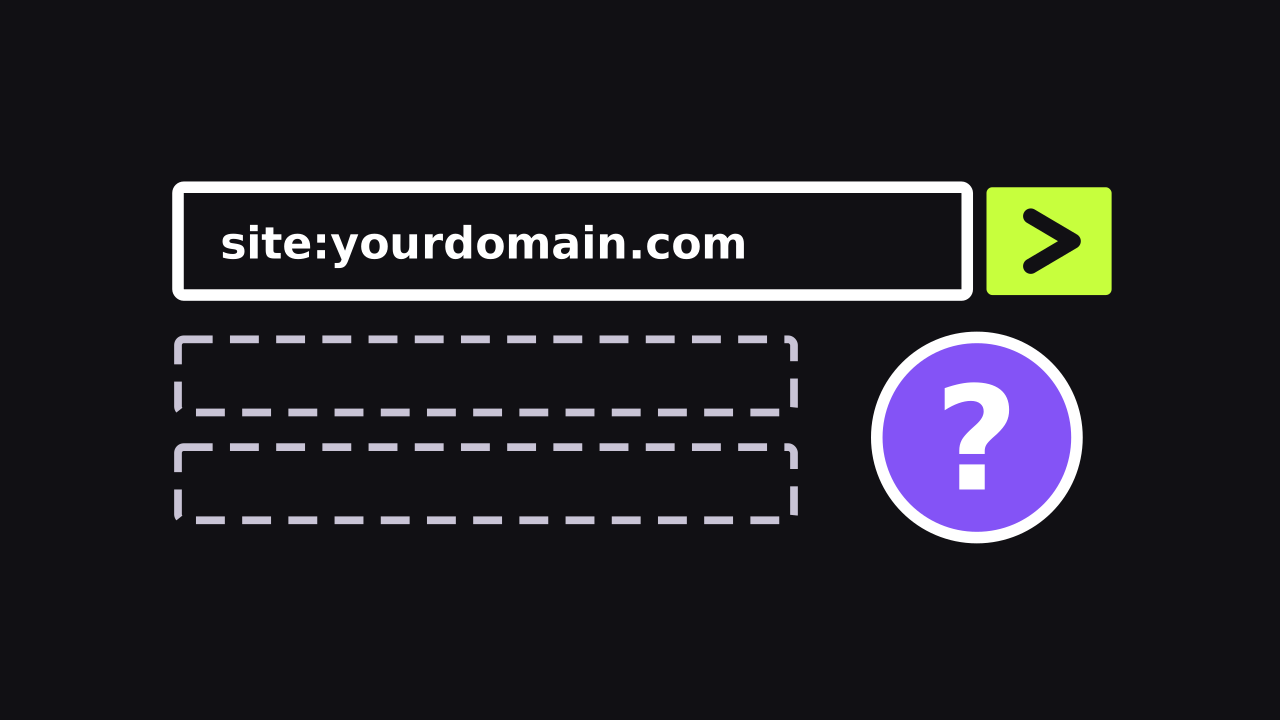
First, confirm the problem. Type site:yourdomain.com into Google, using your own domain. If results appear, Google has at least some of your pages.
Google notes that a site: search doesn't always list every indexed page. So treat it as a rough check, not proof. The tools below give you the real answer.
Also, Google doesn't guarantee it will crawl, index, or show any page. A missing page usually comes down to one of a few causes:
- A noindex tag that tells Google to skip the page
- A robots.txt rule that blocks Google from crawling
- A page Google found but chose not to index yet
- A manual action for breaking Google's spam policies
- A new site Google simply hasn't reached yet
A page that's indexed but buried on page five is a different problem. That's about ranking, not indexing. Our SEO scorecard guide shows how to measure the visibility that brings customers.
Set up Google Search Console first
Search Console is Google's free tool for site owners. It shows which pages Google has indexed and flags problems. You'll need to verify you own the site before you see data.
A Domain property is often the simplest choice. It covers every version of your site, with or without www. Your web host or domain registrar can help with the DNS step.
Launched a site this week? Google says it can take a few weeks to notice a new site. That wait is normal, so don't panic on day three.
How do you check a page with URL Inspection?
The URL Inspection tool is the fastest way to check one page. It tells you if Google has the page and, if not, why. Here's how to run it.
- Open Search Console and pick your property
- Paste the page's full address into the search bar at the top
- Read the verdict: URL is on Google, or URL is not on Google
- Open the Page indexing section to see the reason
- Click Test live URL to check the page as it is today
The first result shows the version Google saved last time. The live test fetches your page right now. A passing live test still doesn't guarantee Google will index the page.
"URL is on Google" means the page can appear in Search. It still isn't promised a spot for any search. "URL is not on Google" means it can't appear until you fix the cause.
What do the Page indexing statuses mean?
The Page indexing report lists the pages Google knows about. Each page that isn't indexed gets a reason. Google says not indexed isn't always bad, so read the reason before you act.
Scroll sideways to read the full table.
| Reason in the report | What it means | What to do |
|---|---|---|
| URL marked 'noindex' | A tag or header told Google not to index the page | Remove the noindex if the page should appear |
| URL blocked by robots.txt | Your robots.txt file stops Google from crawling it | Change the rule if the page should appear |
| Crawled - currently not indexed | Google crawled the page but hasn't indexed it | Make the page more useful and link to it; no need to resubmit |
| Discovered - currently not indexed | Google knows the address but hasn't crawled it yet | Link to it from key pages and give it time |
| Duplicate without user-selected canonical | Google picked another URL as the main version | Often fine; check that Google picked the right page |
| Not found (404) | The page doesn't exist | Redirect it if it moved; leave it if it's gone for good |
| Server error (5xx) | Your server failed when Google asked for the page | Ask your host to check for errors or outages |
Focus on the pages that matter to customers. Think your home page, service pages, and location pages. Old tag pages or thank-you pages can stay out without hurting anything.
Check for a stray noindex tag
A noindex rule asks Google to keep a page out of Search. It can sit in a meta tag or an HTTP header. When Google sees it, Google drops the page from results.
These rules often slip in by accident. A developer adds one to a test site, and it stays at launch. A plugin or theme setting can add one too.
WordPress has a box called Discourage search engines from indexing this site. When you tick it, WordPress adds a noindex tag to your pages. You'll find it under Settings, then Reading.
To check any page, open it in your browser and view the page source. Search the code for the word noindex. URL Inspection will also flag it.
Is robots.txt blocking Google?
Your robots.txt file tells crawlers which addresses they may visit. It sits at yourdomain.com/robots.txt, so you can open it in any browser.
Look for Disallow: / under User-agent: *. That line blocks every crawler from your whole site. It can be a leftover from when the site was under construction.
Don't use robots.txt to hide a page, either. A blocked page can still show up if other sites link to it. Google also can't see a noindex tag on a page it can't crawl.
Some site builders don't let you edit this file directly. In that case, look for a search visibility setting in your platform's dashboard.
Could a manual action be the cause?
A manual action means a Google reviewer found pages that break its spam policies. Affected pages may rank lower or drop out of Search. It takes a minute to rule out.
Open the Manual actions report in Search Console. If it lists an issue, fix it on every affected page. Google says fixing only some pages won't earn a partial return.
Then click Request Review and explain what you fixed. Google says reviews can take days or weeks.
What if Google just hasn't found your pages yet?
Sometimes nothing is wrong at all. Google crawls billions of pages, and it says it misses some sites. A brand-new site or one with few links from other sites is easy to miss.
These steps help Google find your pages and help customers find you:
- Submit an XML sitemap in the Sitemaps report
- Link to new pages from your home page or menu
- Request indexing for your home page and key pages
- Ask local groups and partners you really work with to link to you
- Skip paid links, which can break Google's spam policies
- Claim and fill out your Google Business Profile
Google treats a sitemap as a hint, not an order. It may not use the sitemap to crawl every address.
Don't keep clicking Request indexing for the same page. Google says repeat requests won't get it crawled any faster. There's also a quota on how many you can send.
This groundwork is the start of SEO. It aims to make your pages easy to reach and easy for customers to find.